Part 2 – Water Meter – AI code development

To see what happens I decided to give an AI a shot at assisting me with the code development. The chosen AI this time was Gemini from google (Other code writing AI’s are available).

What had to do first was write down what I wanted the AI to produce, what IDE (Arduino) I was using, the hardware configurations, boards and accessories and how they are wired together.


Example question to AI – “I have a ESP32-C6-Touch-AMOLED-1.32 board that I am using the Arduino IDE to program, can you create a simple test program to see if the display is working”

Resulting in the code :-

#include <Arduino_GFX_Library.hpp>

/* Pin Definitions for ESP32-C6-Touch-AMOLED-1.32 */
#define TFT_BL 32
#define TFT_RES 21

/* Create the data bus (QSPI) */
Arduino_DataBus *bus = new Arduino_ESP32QSPI(
    25 /* cs */, 26 /* sck */, 27 /* d0 */, 28 /* d1 */, 29 /* d2 */, 30 /* d3 */);

/* Initialize the SH8601 AMOLED Display */
Arduino_GFX *gfx = new Arduino_SH8601(
    bus, TFT_RES, 0 /* rotation */, true /* IPS */, 
    466 /* width */, 466 /* height */, 
    0 /* col_offset1 */, 0 /* row_offset1 */, 
    0 /* col_offset2 */, 0 /* row_offset2 */);

void setup() {
  Serial.begin(115200);

  // Turn on backlight (if applicable)
  pinMode(TFT_BL, OUTPUT);
  digitalWrite(TFT_BL, HIGH);

  if (!gfx->begin()) {
    Serial.println("gfx->begin() failed!");
  }

  // Initial Screen Clear
  gfx->fillScreen(BLACK);
  delay(500);
}

void loop() {
  // Test Colors
  gfx->fillScreen(RED);
  delay(500);
  gfx->fillScreen(GREEN);
  delay(500);
  gfx->fillScreen(BLUE);
  delay(500);

  // Text Test
  gfx->fillScreen(BLACK);
  gfx->setCursor(80, 220);
  gfx->setTextColor(WHITE);
  gfx->setTextSize(4);
  gfx->println("ESP32-C6");
  gfx->setCursor(80, 270);
  gfx->setTextSize(2);
  gfx->println("Display Working!");
  
  delay(3000);
}

This example use the wrong driver chip type for the display it had used the SH8601 instead of the GC9A01, after finding this and another few attempts we had the screen working and we could write things on the display.

After getting the display working, I asked it count the pulses from the flow sensor, and using my best guess of 450 pulses per litre, calculate the amount of water that had passed since it was powered on.

Next I added a button to GP2 (pin 7), this for testing was a cheap push button, the other side of which was connected to GND (pin 20), this was used to reset the volume of water in the tank available back to full, but to make is hard to do by accidentally you needed to press it five time with less that a second between presses.
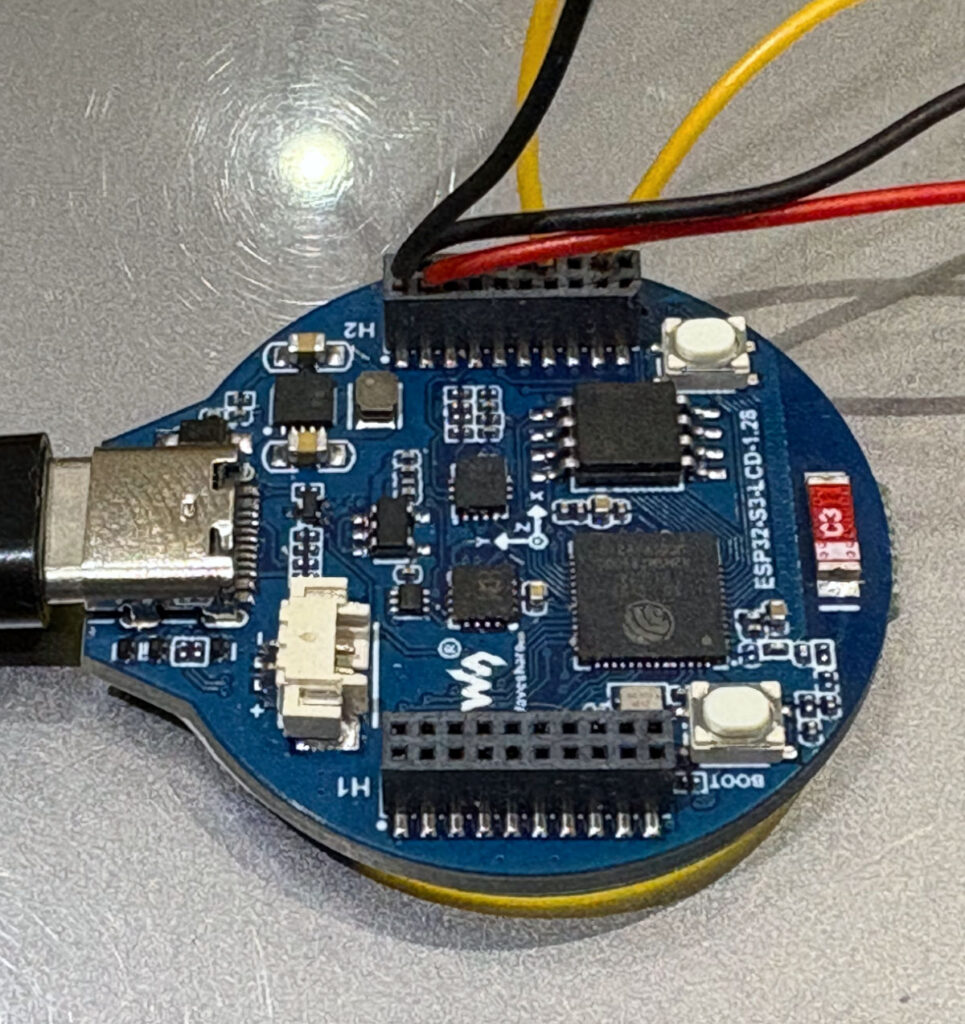
As you can see the connector are very small the pitch between sockets is just 1.27mm, much smaller than the normal 2.54mm pitch I am used to. This becomes a problem later as finding a connector to fit this, but at the moment I am pushing single core wire directly into it.

Restarting with a new board.

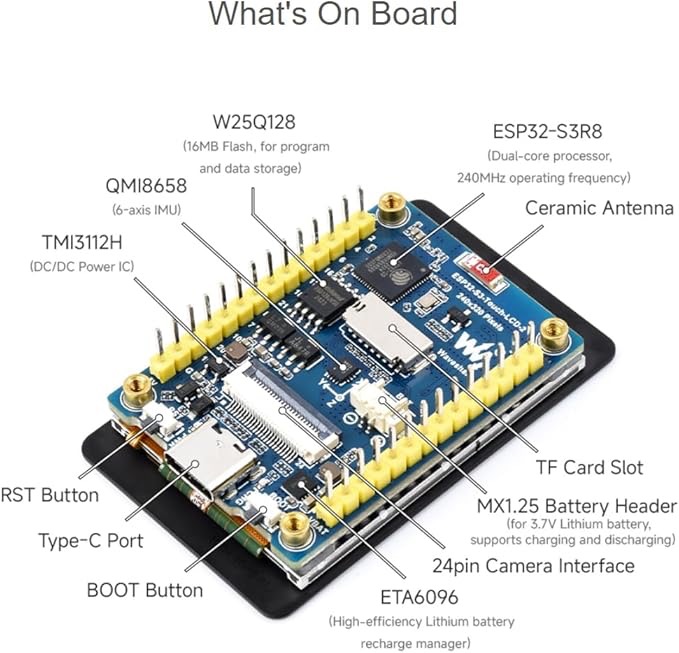
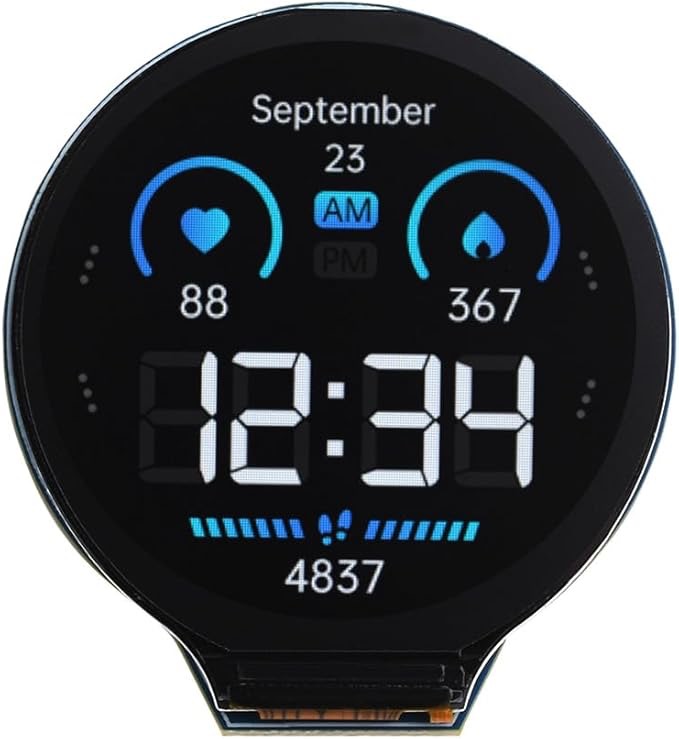
While the original board was working I really wished I had got a touch screen, so I decided to change the display to a Wave Share ESP32-S3-Touch-LCD-2, this has advantage of a larger 2 inch display with a resolution of 240×320, by favourite features was the touch display and the larger 2.54mm spaced pins on the back.
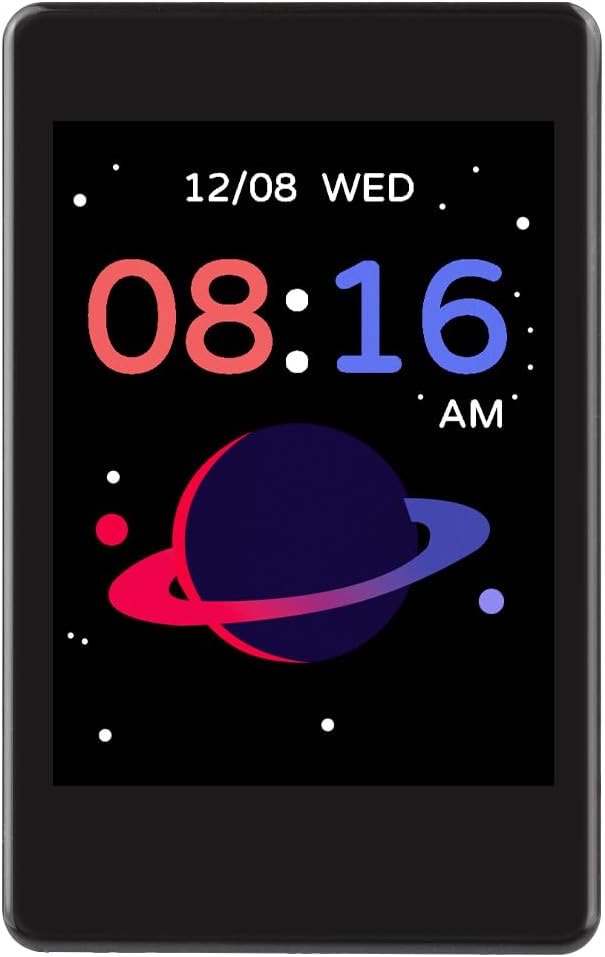
ESP32-S3-Touch-LCD-2
ESP32-S3-Touch-LCD-2 Front
ESP32-S3-Touch-LCD-2 back

Now with a better display and a touch screen, I started experimenting with the AI development and I learned a lot about using the free level AI for this type of development.

  1. Only make one update at a time, only ask the AI to make a single up date, don’t be to ambitious and try to add to much at once, it may work, but my experience is that it will not always end well and you may find you have lost features to expected to remain.
  2. TEST, test and test again, after each update make sure it does what you expect and that you sill have what you had before the update still working.
  3. If you get compile time errors, feed then back to the AI, it will probably fix them without a problem.
  4. Circles (going around in), early on when getting things like the display working, it recommended libraries I did not have installed, these can be difficult to get working if they are not designed or modified for your board. I have been around a few hours of created some code, inputting back in the compile errors, to have the AI confidently tell me they next iteration would fix all the problems, only to find a few steps later we where back with the same setting that had failed in the first place – What I tried and it worked for me was to find an example for the board I am using and feed that code into the AI as a working example of say the display working and ask it to try the same methods.

What I did find if I was patient and will to try things and maybe have to revert back to a working version if needed, this method saved be 1000’s of hours of development time and helped me produce a working product, sometimes I had to study the code it produced, but most of the time, you can get it to fix a problem once you understand what could be going wrong.

Part 3 – How to operate the system the user guide

Part 1 – How much water is in my tank (Possible Solution)

This is the eternal question normally just before taking a shower or putting on the washing machine. On a boat first hired we had a water gauge, but it did not work very well, most of the time it did not move. When we got our own boat, it did not have a gauge and we tended to fill up as often as we could. I researched retro fitting a sensor in the tank, but it seemed to be a lot of hassle with limited chance of success and a lot of hassle to fit, including cutting a hole in to top of the tank.

Now four years later on I had an idea, I know the capacity of my tank 650 Lts, so if I measure how much I have used after each fill up I should be able to make a good guesstimate of the remaining level.

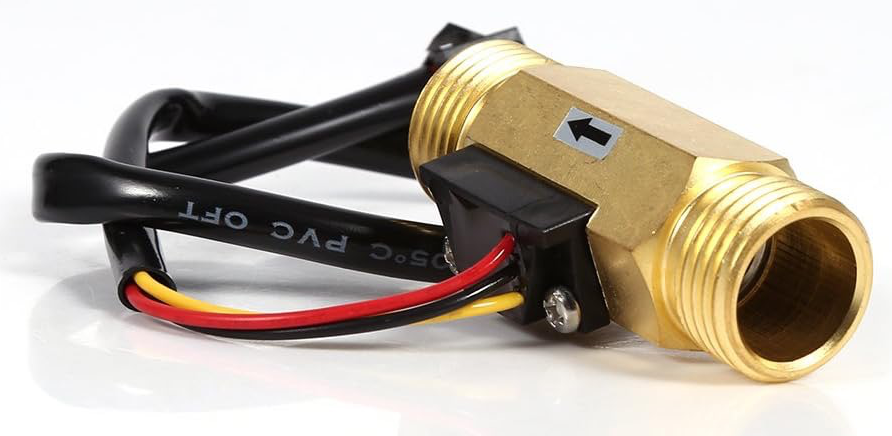
From amazon I purchased for about £15 (approx.$12) a water flow sensor, its maximum water pressure is 1.75MPa (Approx 253 PSI), the range of flow is from 1L/min to 30L/min. I had installed a new pump a couple of years ago and this could output up to 15.1L/min and a pressure of 25 PSI so well within the spec of the flow sensor.

The only specification for the flow sensor I could not find was the number of pulses per litre, what I did find was they seem to operate between 450 and 650 pulses per litre, so I will have to test this later.

Next I ordered a micro controller with a built in display, I wanted to use the Arduino IDE for the code development as this keeps life simple and I have use it before. On Amazon I found for £20 what looked like a good starting point the Waveshare ESP32-S3 Development Board with 1.28inch Round LCD Display This uses a ESP32-S3 32-bit LX7 Dual-core Processor and includes a GC9A01 Driver Chip for the display.

This information means I can easily find drivers/library for the display and look at other peoples code examples. The manufacturer also provide a wiki full of examples I should have probably pick the one with the touch screen, but more on that later.

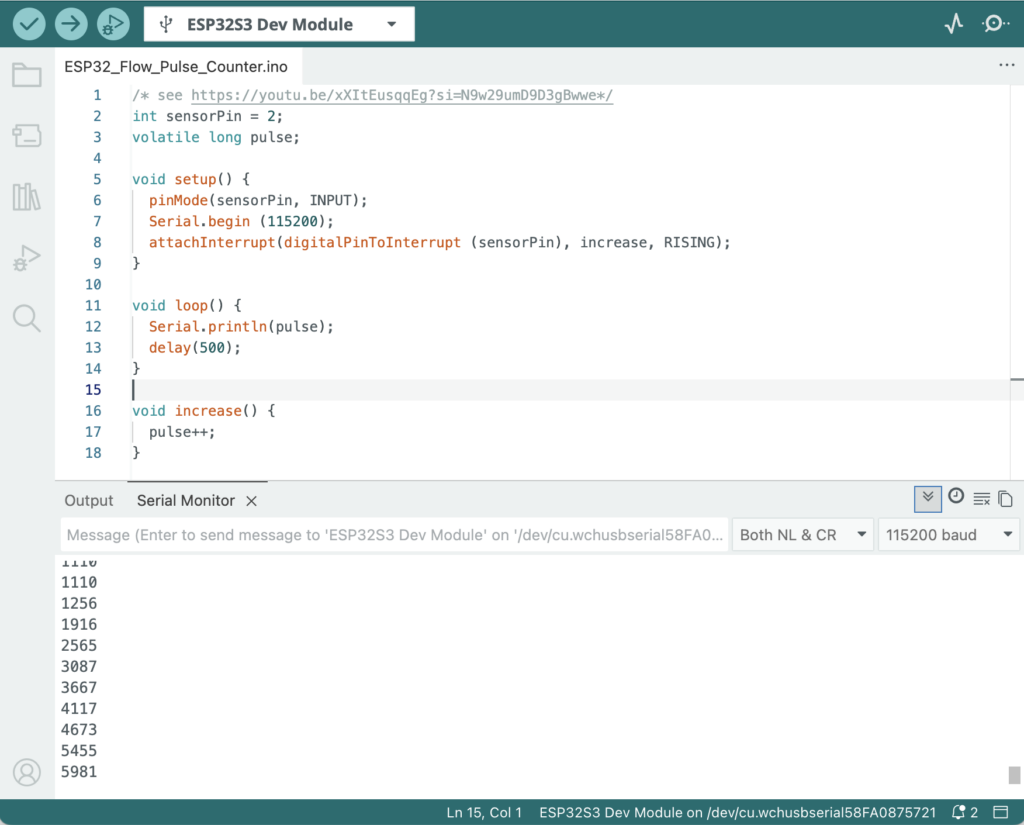
The first code I created was very simple and based on a video on YouTube this enabled me to blow air down the flow sensor and see the pulses on the Arduino IDE serial monitor. Don’t worry if this makes no sense. Basically inside the flow sensor is a small propeller that turns as the water flows past and each time it turns it sends a small electrical pulse up a wire.

The three wires from the flow sensor a red and black for power and a yellow for the pulse signal I wired to the (General Purpose Input/Output) GPIO pins on the back of the Waveshare ESP32-S3 Development boards H2 connector.

The Red wire goes to pin 18 (VSYS), the Black wire goes to pin 19 (GND) while the yellow wire was routed to pin 3 (GP4).

This was enough with the simple code to see the pulses from the flow sensor display on the Arduino IDE Serial Monitor (This is not generally seen, but can be used by the programmer to output information to see if things are working as expected).

Arduino IDE, Simple Pulse Code

Next we need to get the display working on the board and see if we can output the flow rate, and then add a button so we can reset the system when we add more water to the tank (This is where I wish I had got a display with a touch sensor).

Part two – Change of display and software development

Accessible Moorings/Access Map

While in Birmingham this year we noticed a couple of Accessible Moorings Signs, so started the project to find as many as possible and to produce a map specifically to make them easy to find and also add them to our other maps.

Click here for the Accessible Mooring Map

Accessable Moorings Brewmasters Bridge

Now these signs are not everywhere that you find an Accessible mooring, many of them that the CRT have classified as such are just normal visitor moorings that have had their access checked to make sure there are now narrow gates or steps used to get access.

The Accessible Moorings map includes all CRT Accessible locations as well as any Marinas that are listed as having suitable access from the Accessible Waterways Association

Sample Accessible Mooring Map

If you know of other moorings or services that are suitable for adding to this map please let me know in our Facebook group.

November 2025 – Some Canal Map Location Numbers

Having check our database of locations we have a little bit of work sorting some anomalies that have arisen over the past couple of years, but for the moment this gives a guide to what we have done so far. BUT – this page updates as new records are added to the database..

IconDescriptionQty
Accessible Canal Side Moorings70
Aldi StoresALDI Stores49
Cake Shop1
Art Gallery / Art Museum3
ASDA StoreASDA23
Bar, CocktailBar/Cocktail Bar28
PubBar/Pub1029
BBQ / Smoke House7
Bicycle Shop/Hire2
Canal Town City Information10
Bowling Alley1
Bakery4
Brewery/ Micro Brewery /Brewery Tap20
Historic Bridge3
Bus Station / Bus Stop1
ButcherButcher Shop4
Car Museum / Collection3
Castle6
Cheese Shop1
Church / Abbey / Cathedral9
Cinema / Picture House / Entertainment Complex7
Climbing Centre / Climbing Wall2
Co-OpCo-Op Stores30
Cafe, Coffee ShopsCafe, Coffee Shops334
convenience storeConvenience Stores – Spar, One Stop, Premier, Londis and other independents51
Cycling Venue1
Dance / Club1
Boaters Water Point (Note: Just water point, not other services)16
Farm – Visitors1
Farm Shop21
Fast Food, Fish and Chips etcFast Food – Fish and Chip Shops, Burgers, Chicken etc133
Canal Boat HireCanal Boat Hire159
Canal / River Side Festival79
Petrol Station ( Near Canal/River)7
Smoke House ( Smoked Fish Cheese etc)1
Medical Centre10
Fishing Centre / Shop2
LPG Centre1
Gift Shop5
Hospital12
Hotel (Canal Side)2
Ice-Cream Boat / Parlor13
Ice Rink2
Webcam – River/Canal37
IWA Silver Propeller Challenge68
Canoe / Kayak Centre2
Kinver Canopies1
KFC Locations4
LaunderetteLaunderette / Laundry Services47
Book Shop Boats1
LIDLLIDL Stores33
Bookable Lock Flight1
Shopping Centre / Mall33
Market Location41
McDonalds Restaurants17
Meteorite Landing Site (Hint look at Birmingham)1
Monkey Zoo / Conservation Centre1
MooringsMooring Long term – CRT, Private, Clubs and in Marinas911
MorrisonsMorrisons Stores31
Motorcycle Shop / Exhibitions2
Museum – Craft8
Museum General2
Museum – Industrial11
Art Studio / Art Supplies1
Museum- Battle Field1
Accordion Shop1
Music Events (Counted here, buy they disappear from maps after the event completes)8
Music Venues8
Places to visit while on the canals and Rivers146
Canal/River Junctions or End of Navigation Point72
Event near canal / river6
PizzariaPizza Eat-in / Takeaway26
Post OfficePost Office / Courier Drop-off/Pickup32
Railway StationRailway Station382
Boat Yard / Chandlery42
Chinese RestaurantChinese Restaurant / Takeaway36
Fish Restaurant5
Indian Restaurant43
Mexican Restaurant3
RestaurantRestaurant362
SainsburysSainsbury’s Stores36
School Museum1
Boater Services Point CRT or at Boat Yard127
Shop – Boat Related25
Watford Gap Motorway Services Area1
Football Stadium3
Marine Solar Equipment Suppliers1
SPA1
Stadium / Arena (Music, Sports etc)3
supermarketSupermarket (Misc Inc’s M&S, Waitrose and others)32
Swimming Pool Indoor / Outdoor7
Tesco StoresTesco Stores62
Theatre6
Theme Park Resort 1
Blacksmith1
Tool Shop3
Heritage Railway Station7
Rubbish Boater Services2
Canal Tunnel Entrance / Exit17
Underground Station7
Link to History Video2
Visitor MooringsVisitor Mooring381
River / Canal Side Walk2
Canal / River Festival / Market
(Counted here, buy they disappear from maps after the event completes)
79
Winding Hole19
Wine Bar2
CRT Offices1